CK444 Login: Sign In and Access Your Account

CK444 is one of the most active online casino and sports betting platforms in Bangladesh. After logging in, you get full access to slots, live casino, sports bets, deposits in BDT, withdrawal to bKash and Nagad, and all active bonuses. This page explains every step of the login process, what to do if something goes wrong, and how to keep your account secure.

How to Log In to CK444

Logging in to CK444 takes under 30 seconds if you have your phone number and password ready. The login form is always at the top right corner of the site - click the Login button next to the Register option.

Here is what the form contains:

Field Details
Phone number 6 to 13 digits, your registered mobile number
Password 6 to 12 characters, letters and numbers
Remember Me Saves session in your current browser
Forgot Password Link to start account recovery
Social Login Facebook and Google one-tap sign-in

Enter your Bangladesh mobile number (11 digits is standard), type your password, and press the green Login button. If your credentials are correct, you land directly on the main dashboard where your BDT balance is visible in the header.

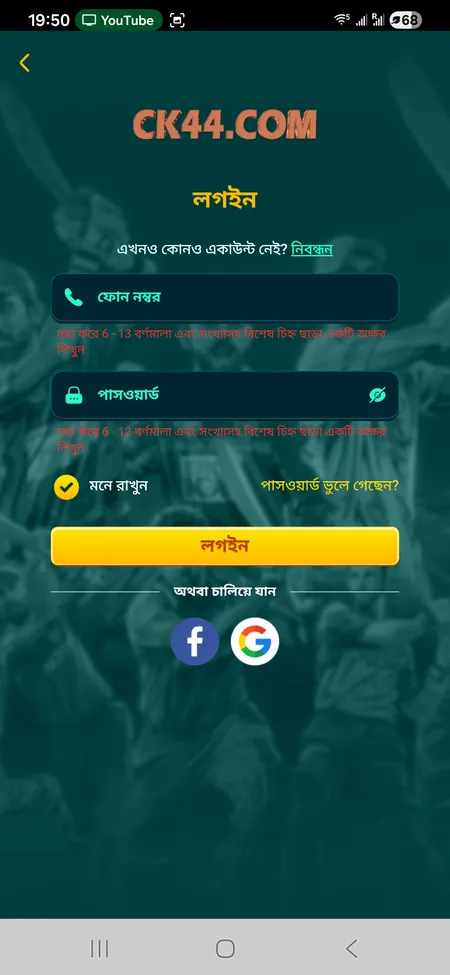
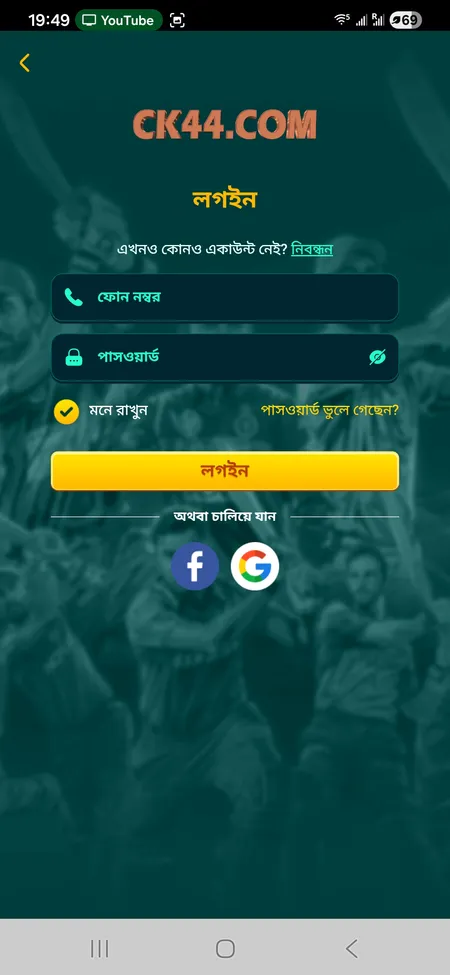
CK444 login form with phone and password fields

The standard CK444 login screen: phone number field, password input, Remember Me checkbox, Forgot Password link, and social login buttons for Facebook and Google.

Social Login: Facebook and Google

If you registered with Facebook or Google, you can log in with one click using the same social account. No need to remember a separate password. Just tap the Facebook or Google button on the login screen and authorize access. Your account links automatically based on the email or phone registered with that social profile.

This method is the fastest way to get back in, especially on mobile where you are already logged into your social accounts.

Go to CK444 Login Page

Step-by-Step Login Process

Follow these steps to sign in without issues:

How to Sign In to CK444

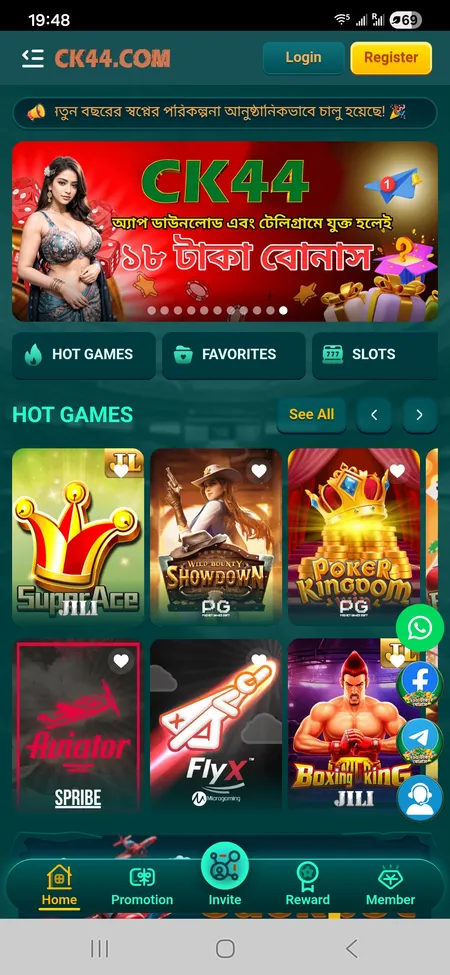
  1. CK444 home screen with Login button

    Open the CK444 official website or the mobile app. You will see the Login button in the top right corner of the header.

  2. CK444 login form variant 2

    Click Login. The sign-in form opens with two fields: your registered phone number and your password (6 to 12 characters).

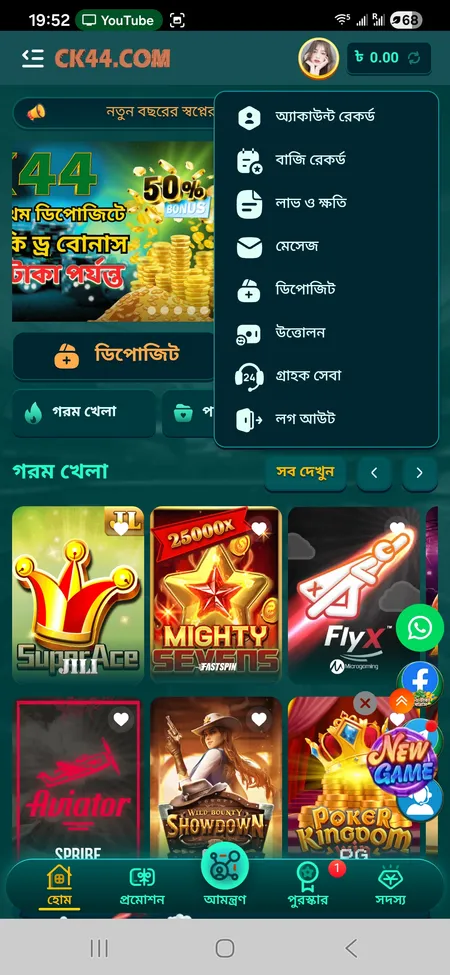
  3. CK444 account menu after successful login

    Enter your credentials and press Login. On success, you are taken to your account dashboard where your BDT balance and menu options are visible.

Logging In via the Mobile App

The CK444 mobile app is available for Android as an APK file (around 25 MB) and for iOS as a PWA added via Safari. The login interface in the app is identical to the web version: phone number, password, social login options, and a Remember Me toggle.

The app has one practical advantage - once you log in and tick Remember Me, the session stays active across restarts. You only need to re-enter credentials if you clear app data, switch devices, or log out manually. Some devices support fingerprint or Face ID login after the first successful sign-in.

Visit the CK444 app download page to get the latest APK for Android or instructions for iOS setup.

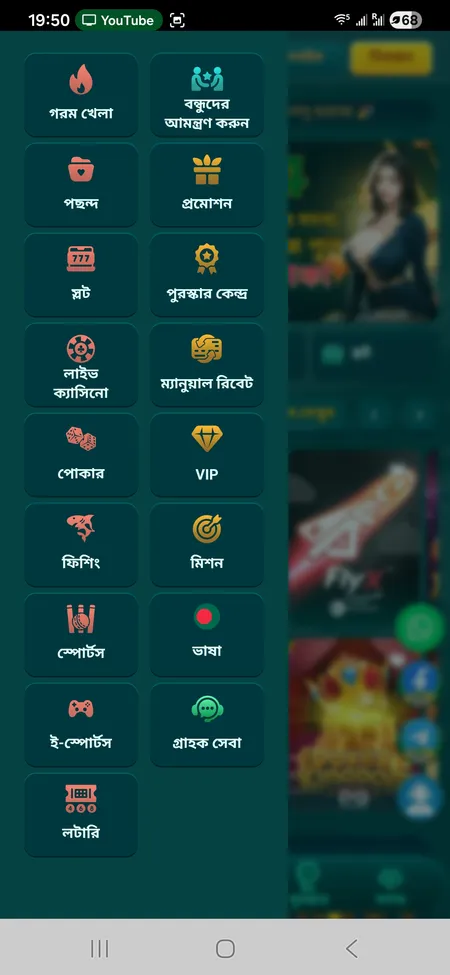
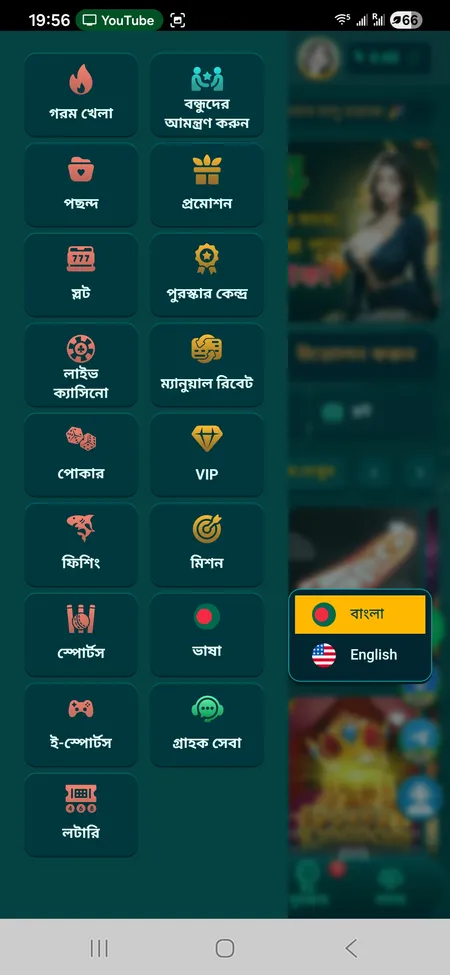
CK444 side menu after login

After logging in, the side menu gives access to Hot Games, Slots, Live Casino, Sports, Promotions, VIP section, Rebate, Missions, Support, and Lottery.

Play at CK444

What to Do If You Forgot Your Password

If you cannot remember your password, use the Forgot Password link on the login screen. Recovery is handled through your registered phone number. The support team is available 24/7 and can also help restore access directly.

Steps for password recovery:

  • Click 'Forgot Password' on the login form
  • Enter the 11-digit mobile number linked to your account
  • Follow the instructions sent via SMS or provided by the support agent
  • Set a new password: 6 to 12 characters, combining letters and numbers
  • Log in with the new password immediately

If you no longer have access to the registered phone number, contact CK444 support through the live chat, Telegram at t.me/Ck44Ofc, or WhatsApp. The team responds within 2 to 5 minutes according to the platform's stated support times.

CK444 support works around the clock in both Bengali and English. Password recovery and account access issues are resolved in 2 to 5 minutes on average through live chat or Telegram.

Common Login Problems and How to Fix Them

Problem Likely Cause Solution
'Incorrect password' error Typo or caps lock active Retype carefully, check letter case
Page does not load Unstable internet connection Switch to mobile data or reload
Account locked Multiple failed attempts Wait 15 minutes or contact support
Social login fails App permissions revoked Re-authorize Facebook or Google access
App crashes on login Outdated APK version Download the latest APK from the official site

If none of these fixes work, clear your browser cache or reinstall the app, then try again. Avoid logging in over public Wi-Fi - use your personal mobile data for security.

Never share your CK444 password or transaction PIN with anyone. The platform will never ask for your password through Telegram, Facebook, or WhatsApp messages. Depositing through unofficial third-party channels is also prohibited.

Open CK444 Account

Account Security After Login

Once inside your account, several features protect your session and funds:

  • Session timeout - inactive sessions are closed automatically to prevent unauthorized access
  • Logout button - available in the profile menu; logs you out of the current device
  • Transaction password - a separate PIN required for withdrawal requests (separate from your login password)
  • SSL encryption - all data between your device and the platform is transmitted over an encrypted connection

The profile menu (accessible after login) shows: Account Record, Betting Record, Profit and Loss, Messages, Deposit, Withdraw, Support, and Logout. Your BDT balance is always visible in the header.

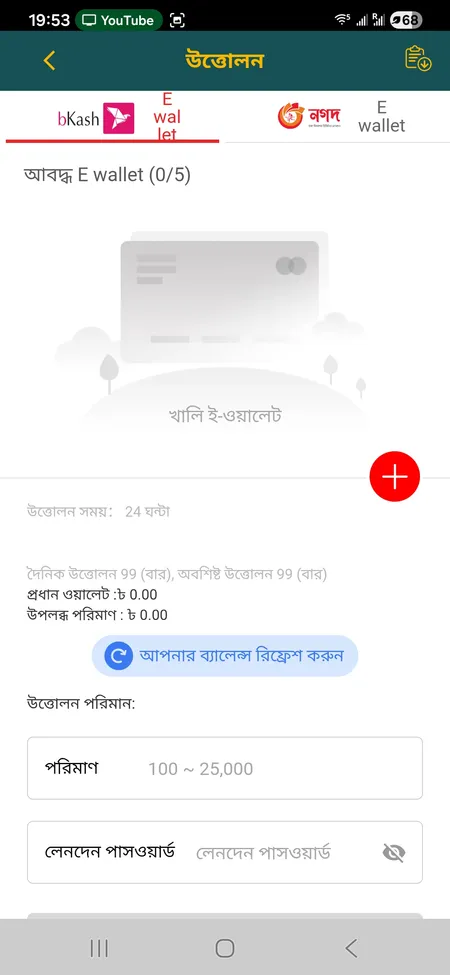
For withdrawal requests, you must enter your transaction password and select a pre-registered e-wallet (bKash or Nagad). This two-step approach means that even if someone accesses your login, they cannot move funds without the transaction PIN.

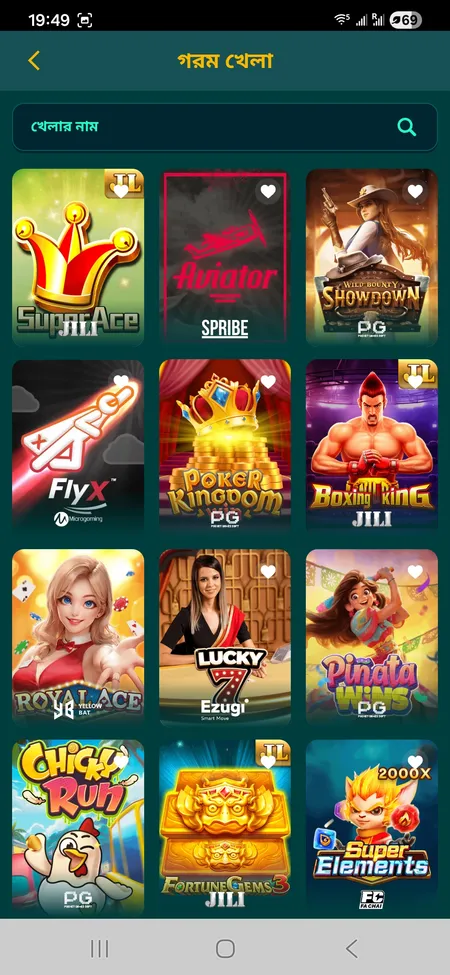
CK444 game list after login

Access After Login

After signing in you reach the full dashboard: balance in BDT, game library with slots and live tables, sports betting on cricket, football and kabaddi, active promotions, VIP status, and withdrawal history. All sections of the CK444 platform are unlocked instantly.

CK444 withdrawal form after login

Deposit and Withdrawal Access

After login you can deposit via bKash, Nagad, Rocket or Upay starting from 100 BDT. Withdrawals go to pre-registered e-wallets with a daily limit shown in the interface. Processing takes up to 24 hours but typically completes in 1 to 5 minutes.

Login on Different Devices

CK444 login works across all major platforms:

  • Desktop browser - visit the official site, click Login in the header
  • Mobile browser - the site adapts to portrait mode automatically; the Login button stays in the top bar
  • Android app - login screen appears on first open; use the same phone number and password
  • iOS PWA - add the site to your home screen via Safari, then log in as usual

Sessions do not sync automatically across devices. If you log in on a new phone or browser, you need to enter credentials again unless Remember Me was active on that device. Check the CK444 games section after login to explore the full library of slots, live casino, poker, fishing games and e-sports available in your account.

CK444 language switch menu in Bengali and English

CK444 supports Bengali and English. Switch language from the side menu - the entire interface updates instantly, including the login and deposit screens.

Sign in to CK444 and access slots, live casino, cricket betting, and active promotions in BDT. The full platform is available after a single login.

FAQ: CK444 Login

What do I need to log in to CK444?

Your registered 11-digit Bangladesh mobile number and a password of 6 to 12 characters. Alternatively, use the Facebook or Google login button if you signed up with a social account.

Can I log in with Facebook or Google?

Yes. Both options are available on the login screen. Tap the corresponding button and authorize access through your social account. No separate password is required.

What should I do if my password is not working?

First check that caps lock is off and you are entering the correct number. If the issue persists, use the Forgot Password link on the login form or contact 24/7 support via live chat or Telegram at t.me/Ck44Ofc.

How do I recover my CK444 account?

Click Forgot Password and enter your registered phone number. Follow the SMS instructions or contact the support team directly. Recovery is usually completed within 2 to 5 minutes.

Is the CK444 login secure?

The platform uses SSL encryption on all connections. Additionally, withdrawals require a separate transaction password, which adds a second layer of protection even if someone obtains your login credentials.

Can I stay logged in on my phone?

Yes. Check the Remember Me option when logging in through the browser or app. The session remains active until you manually log out or clear app data.

Why does my CK444 app not let me log in?

Most commonly this is an outdated APK. Download the latest version from the official CK444 site. Also check your internet connection and make sure you are using your registered phone number.

How do I log out of CK444?

Open the profile menu in the top right area and select Logout. This ends your current session. If you need to close sessions on all devices, contact support.

Does CK444 support Bengali in the login interface?

Yes. Switch the language to Bengali (বাংলা) from the Language option in the side menu. The entire interface including login, deposit and support screens updates to Bengali instantly.

What is the transaction password and when is it used?

The transaction password is a separate PIN used only for withdrawal requests. It is different from your login password and adds an extra security step before any funds leave your account.